
Inventory Management
Inventory Management System for Small Businesses: Complete Guide
A practical guide to inventory management systems, stock control, inventory tracking, reporting and better business visibility.
Inventory is one of the most important areas of day-to-day business control. Whether a business sells products, distributes goods, manages equipment or maintains operational stock, knowing what is available and keeping inventory information organized can make everyday decisions much easier.
An inventory management system provides a structured way to organize inventory information, track relevant stock activity and review important records. For small and growing businesses, the right system does not necessarily have to be complicated or expensive. What matters most is that it fits the business workflow and provides reliable visibility.
This guide explains what an inventory management system is, what it should contain, how it can work with Excel, and how a small business can choose an appropriate inventory management solution.
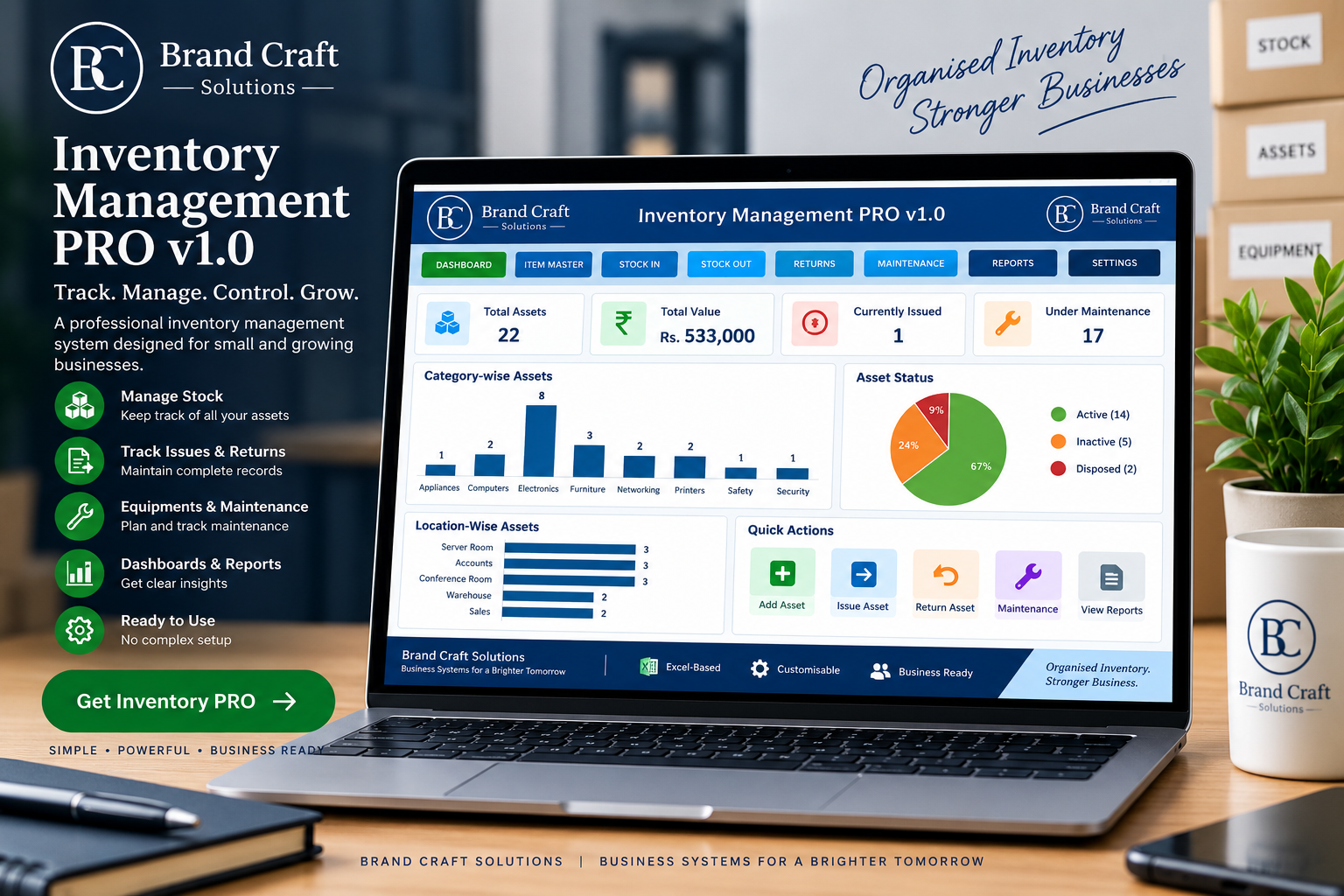
What Is an Inventory Management System?
An inventory management system is a structured system used to organize information about the items a business keeps, purchases, issues, returns, maintains or otherwise manages.
Instead of relying on disconnected notebooks, multiple spreadsheets or scattered records, an organized inventory system brings important information into a consistent workflow.
Depending on the business, an inventory management system may include item information, stock records, movement tracking, issue and return records, maintenance information, reports and management dashboards.
The goal is not simply to record numbers. The goal is to make inventory information easier to understand and use when making everyday business decisions.
Why Inventory Management Matters for Small Businesses
Small businesses often operate with limited staff and limited time. Inventory information may be maintained by one person or shared between several people. As the number of products, transactions or locations increases, informal methods can become increasingly difficult to manage.
A structured inventory management system can help a business maintain better visibility into its records and create a more consistent process for managing inventory information.
- Organize item and inventory information.
- Maintain clearer stock records.
- Track relevant inventory movements.
- Record issues and returns in a structured manner.
- Maintain supporting records such as maintenance logs.
- Generate useful reports for management review.
- Provide a clearer overall view of inventory activity.
Common Inventory Management Problems
Stock information is scattered
When information is maintained across different files, notebooks or systems, finding the latest information can take unnecessary time.
Item information is difficult to maintain
Product codes, descriptions, categories, suppliers and other details can become inconsistent when there is no structured master record.
Stock movements are difficult to follow
Without a consistent process, it can become difficult to understand when inventory was issued, returned or otherwise changed.
Returns are not properly recorded
Businesses that issue equipment, materials or products may need a clear record of both issues and returns.
Management lacks a clear overview
Even when information exists, management may have difficulty turning individual records into useful summaries and reports.
What Should an Inventory Management System Include?
1. Item Master
A structured item master provides a consistent place for important item information such as item codes, descriptions, categories and related details.
2. Inventory Records
Inventory records provide a structured view of the items being managed and their relevant quantities or status.
3. Stock Movement Tracking
A consistent method of recording relevant inventory movements helps create a more useful history of inventory activity.
4. Issue and Return Tracking
Businesses that issue items to employees, departments or locations can benefit from maintaining issue and return records.
5. Maintenance Records
Equipment and operational assets may require maintenance records alongside inventory information.
6. Reports and Dashboard
Reporting and dashboard views help management review inventory information without having to manually examine every individual record.
How Does an Inventory Management System Work?
A practical inventory workflow can be organized into several connected stages:
- Set up master data — establish consistent item and supporting information.
- Record inventory — maintain structured inventory information.
- Record issues and returns — capture relevant inventory movements.
- Maintain supporting records — record maintenance or related operational information where applicable.
- Review reports — examine inventory information and activity.
- Use management dashboards — obtain a higher-level view of important information.
The exact workflow should be adapted to the business. A retail operation, warehouse, trading company and asset-intensive business may have different inventory requirements.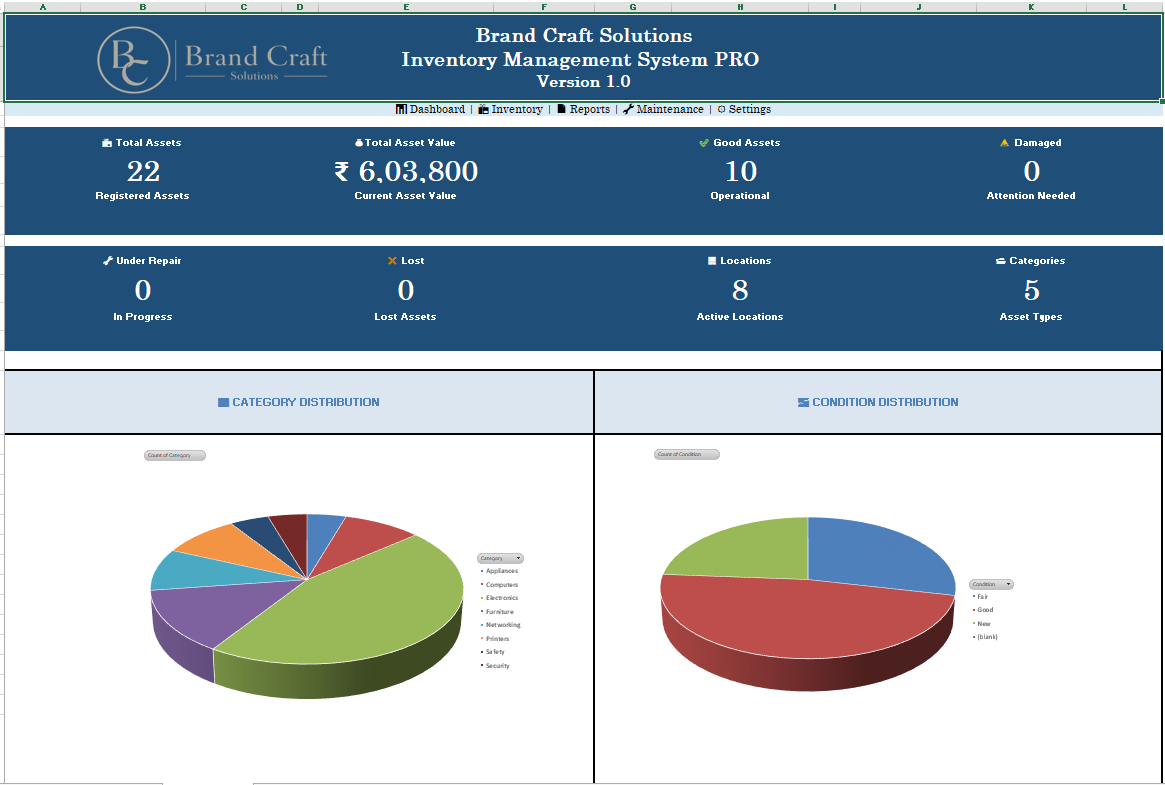
Excel Inventory Management Systems
Excel can be a practical inventory management environment for many small businesses, particularly when the organization already uses Microsoft Excel and needs a structured, familiar workflow.
The important distinction is between an unstructured spreadsheet and a properly designed Excel-based business system.
A structured Excel inventory system can bring together organized records, formulas, controlled data entry, reporting and dashboards within a familiar spreadsheet environment.
When Excel can be a practical choice
- The business already works extensively with Excel.
- The workflow is clearly defined.
- The number of users is manageable.
- The business wants a familiar desktop environment.
- The business needs structured reporting and dashboards.
However, poorly designed spreadsheets can become difficult to maintain. Multiple versions, uncontrolled editing and inconsistent data entry can create problems. The quality of the underlying system design therefore matters greatly.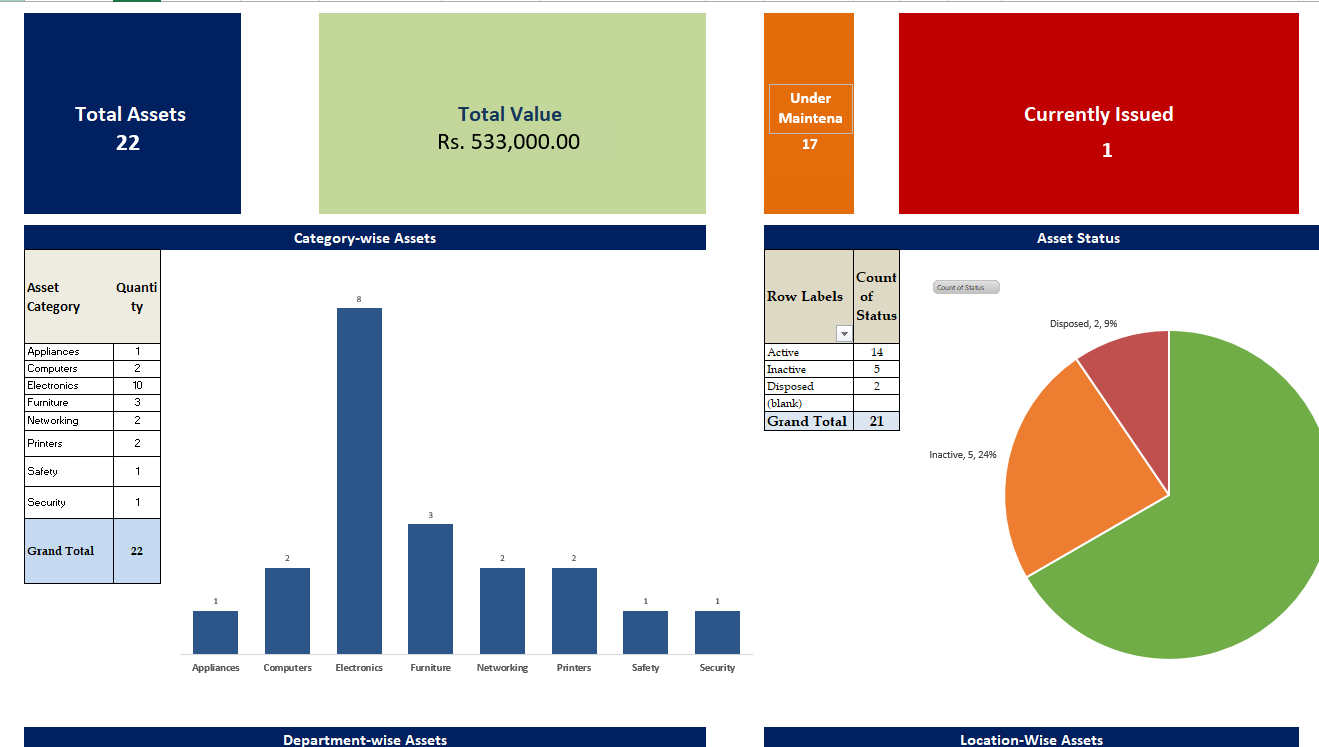
Manual Spreadsheet vs Structured Inventory System
| Area | Manual Spreadsheet | Structured System |
|---|---|---|
| Inventory records | May be scattered | Organized |
| Item information | Manually maintained | Structured |
| Issue / return tracking | Often manual | Dedicated workflow |
| Reporting | Often requires manual preparation | Structured reports |
| Management visibility | Depends on spreadsheet design | Dashboard and reporting based |
Inventory Management Standard vs PRO
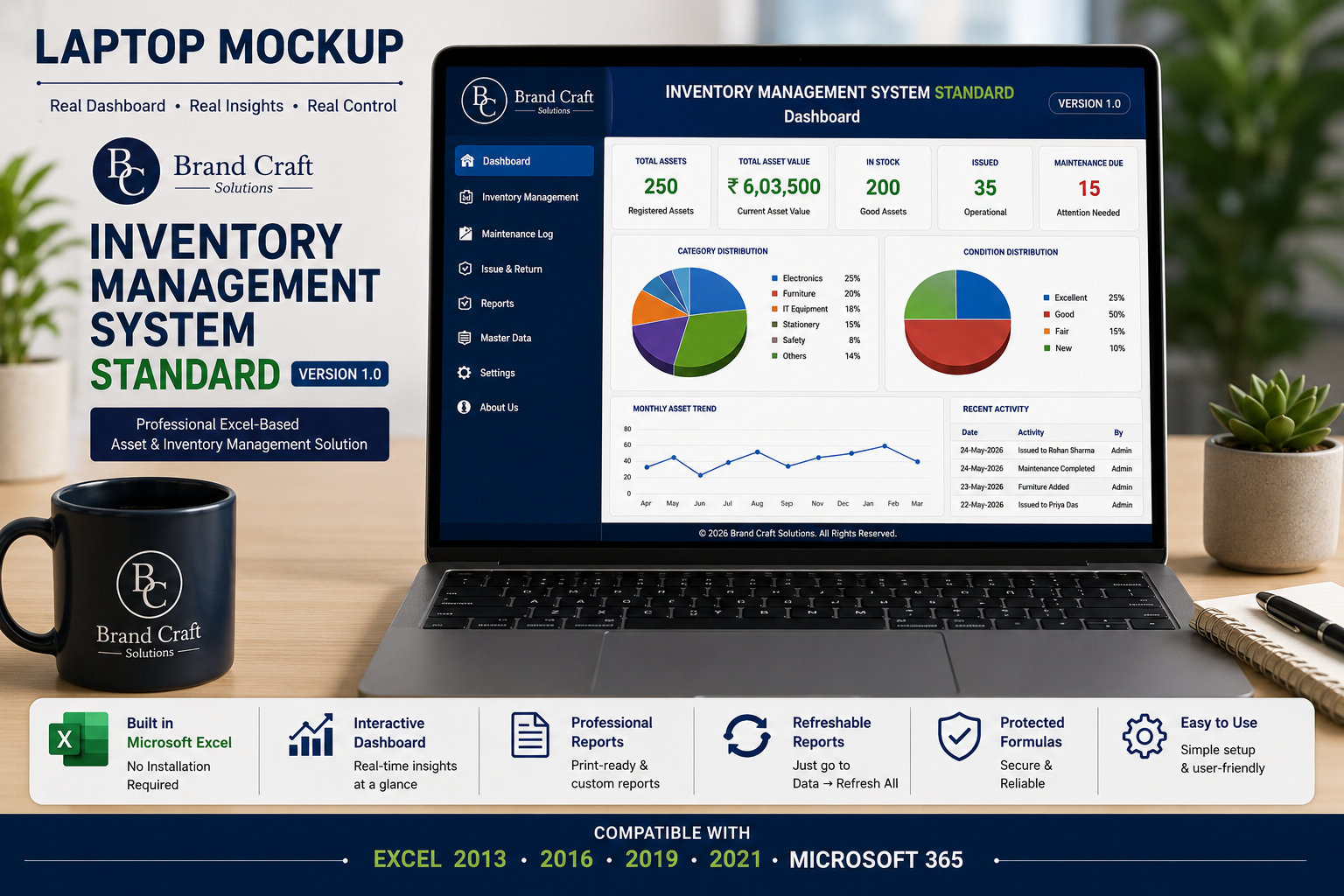
The right inventory system depends on the complexity of the business workflow. A smaller operation may need straightforward inventory records, while a growing business may require broader operational control.
Inventory Management Standard
A practical option for businesses primarily looking for organized inventory records, item management and everyday stock visibility.
Inventory Management PRO
Designed for businesses that need broader operational control, including inventory management, issue and return tracking, maintenance records, master data, dashboards and reporting.
How to Choose an Inventory Management System
Before choosing an inventory management system, first understand what the business actually needs to control.
- Identify what you need to track. Products, materials, equipment, assets or other inventory.
- Define your workflow. Understand how items enter, move through and leave the business.
- Consider issue and return requirements.Especially if inventory is issued to people, departments or locations.
- Review reporting requirements. Decide what management needs to see regularly.
- Consider the size of the operation. Avoid choosing a system that is unnecessarily complicated.
- Evaluate Excel versus web or cloud software.Consider the team's existing workflow, users and requirements.
- Check documentation and support. A system should be understandable and usable by the people who will operate it.
- Consider total cost. Look at the actual business value rather than simply choosing the cheapest option.
Frequently Asked Questions
What is an inventory management system?
An inventory management system is a structured method of organizing inventory information, tracking relevant activity and reviewing records to improve inventory visibility and control.
Is Excel good for inventory management?
Excel can be practical for many small businesses when the inventory workflow is clearly structured and the workbook is properly designed and maintained.
What should an inventory management system track?
Depending on the business, it may track item information, inventory records, stock movements, issues, returns, maintenance information and reporting data.
What is the difference between inventory management and stock management?
The terms are often used interchangeably, but inventory management can cover a broader set of activities including item information, movement records, returns, maintenance and reporting, while stock management often focuses more directly on quantities and availability.
Can a small business use an Excel inventory system?
Yes. A structured Excel system can be suitable for many small businesses, particularly when the number of users and the complexity of the workflow are manageable.
What is the difference between Inventory Standard and PRO?
Standard focuses on core inventory organization and visibility, while PRO provides broader operational features such as issue and return tracking, maintenance records, dashboards and reporting.
Why are inventory reports important?
Inventory reports help management review records and trends without manually examining every individual transaction or item record.
Do small businesses need expensive inventory software?
Not necessarily. The appropriate solution depends on the business workflow, number of users, reporting requirements, scalability needs and budget.
Ready to Bring More Structure to Your Inventory?
Brand Craft Solutions provides practical, ready-to-use inventory management systems designed for small and growing businesses. Explore the edition that best fits your operational needs.
Related Business Management Guides
Explore related guides to understand how inventory, purchasing, and business operations can work together in a structured management process.
Purchase & Procurement
Purchase Order Management for Small Businesses
Learn how purchase order management helps businesses organize suppliers, track orders, control procurement information, and improve purchasing visibility.
Read the GuideBusiness Management System
Inventory Management PRO
Explore a structured inventory management system designed to help businesses monitor stock, movements, reporting, and operational control.
Explore Inventory PRO