Purchase Order Creation
Create consistent purchase orders with supplier, item, quantity, pricing, tax, and delivery information.
Business Management Guide
Learn how a structured purchase order management process can help small businesses organize purchasing, manage suppliers, track orders, control procurement information, and improve operational visibility.
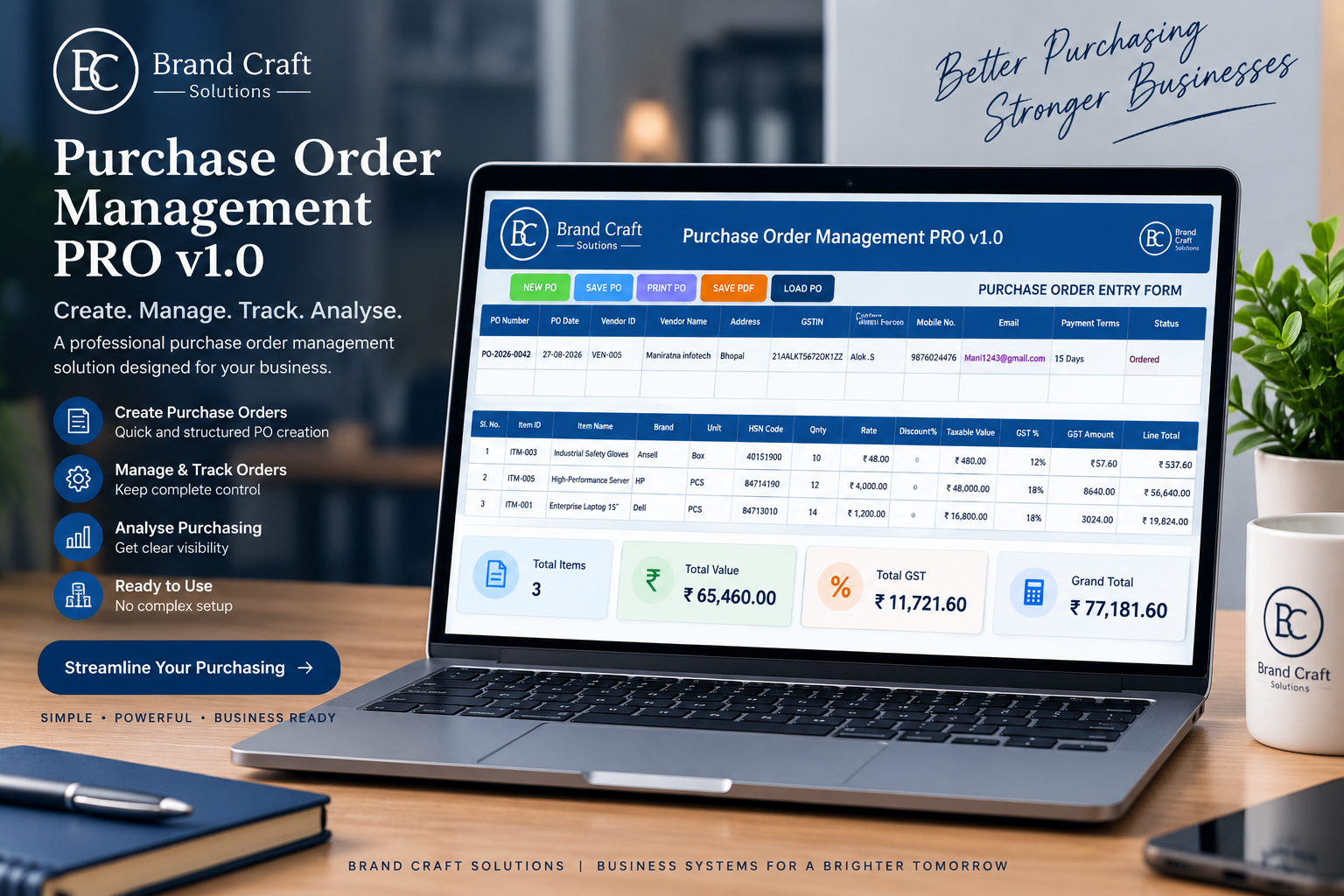
Purchasing can become difficult to control as a business grows. Orders may be discussed through email or messaging apps, supplier details may be stored in different files, and it can become difficult to determine which purchase orders are still pending.
This is where purchase order management becomes important. Instead of treating every purchase as an isolated transaction, a business can use a structured workflow to create, approve, track, receive, and report on purchase orders.
The objective is simple:
Know what was ordered, from whom, for how much, when it should arrive, what has been received, and what is still outstanding.
01
Purchase order management is the organized process of handling purchase orders from the initial requirement through supplier selection, order creation, approval, delivery, receipt, and closure.
In a small business, this does not necessarily require a complex enterprise procurement platform. A structured workbook or business management system can provide a practical way to keep purchasing information together and make order status easier to review.
The important part is the process. Purchase orders should not exist as disconnected documents with no central record. They should form part of a repeatable purchasing workflow.
02
A purchase order, commonly called a PO, is a document created by a buyer to communicate the details of a planned purchase to a supplier.
Depending on the business, a purchase order can include the PO number, PO date, supplier details, item descriptions, quantities, rates, discounts, applicable taxes, delivery information, and payment terms.
03
A growing business can quickly accumulate purchase orders from multiple suppliers. Without a structured process, purchasing information becomes harder to review and control.
A purchase order management system provides a central place to review purchasing activity and answer practical questions such as:
04
A useful system should support the complete purchasing workflow, not simply create a printable PO. The exact features depend on the business, but the following capabilities are particularly useful for small and growing businesses.
Create consistent purchase orders with supplier, item, quantity, pricing, tax, and delivery information.
Keep supplier information organized so purchasing teams can work from a reliable vendor reference.
Maintain purchase orders in a centralized register instead of relying on scattered files and messages.
Track pending, partially received, completed, and cancelled purchase orders.
Turn purchasing information into useful reports for management review and decision-making.
Connect supplier information, purchase orders, tracking, delivery, and reporting into one practical workflow.
05
A structured purchase order process creates a clear sequence from requirement to completion. While individual businesses may use different approval rules, the basic workflow can look like this:
Define what needs to be purchased, including items, quantities, specifications, and required delivery dates.
Review supplier information, pricing, terms, and availability before placing the order.
Prepare a structured purchase order containing supplier, item, quantity, price, tax, delivery, and payment information.
Check the order details and obtain the required internal approval before sending it to the supplier.
Monitor whether the order is pending, partially received, completed, or cancelled.
Compare the delivered goods with the purchase order and update the order status when the transaction is completed.
Requirement → Supplier → Purchase Order → Approval → Delivery → Receipt → Closure
06
A purchase order register is a centralized record of purchase orders created by a business. Instead of searching through individual documents, users can review purchasing activity from one structured list.
Typical register information may include:
This makes the register an important control point for purchasing visibility.
07
A structured purchase order management system can classify orders according to their current status. Common examples include:
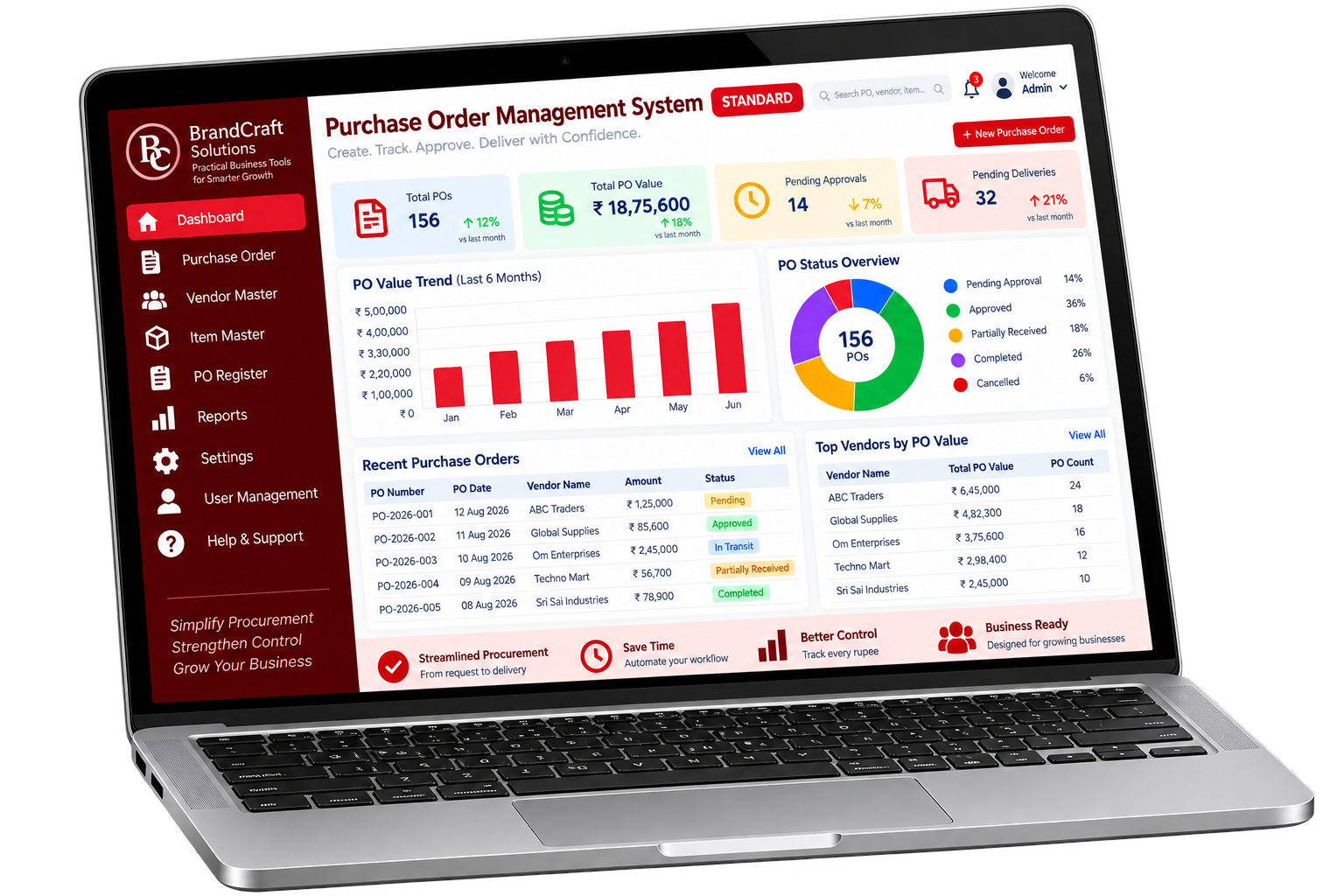
The order is waiting for review.
The order has received the required approval.
The supplier has not yet completed delivery.
Some ordered items have been received.
The purchase order has been fulfilled.
The purchase order is no longer active.
08
For many small businesses, Excel can be a practical platform for purchase order management when the workbook is designed around a clear workflow.
Instead of maintaining one isolated spreadsheet for every purchase order, a structured Excel system can connect purchase order entry, supplier information, the PO register, tracking, and reporting.
09
Manual purchasing can work when transaction volume is very low. The difficulty appears when more suppliers, products, purchase orders, and delivery transactions are introduced.
10
The best system is not necessarily the most complicated one. For a small or growing business, the system should be practical, understandable, and aligned with the way the business actually purchases goods and services.
Brand Craft Solutions' Purchase Order Management PRO is designed around a practical business workflow covering purchase order creation, vendor information, tracking, reporting, dashboards, and supporting documentation.
View Purchase Order Management PRORelated Business Systems
Purchase order management is one part of a broader business control system. Inventory, purchasing, receiving, invoicing, and reporting can become increasingly connected as a business grows.
Previous Guide
Learn how structured inventory management can improve stock visibility, tracking, and operational control.
Read the guideBrand Craft Solution
Explore the ready-to-use Excel-based purchase order management system.
View product11
Purchase order management is the process of creating, approving, tracking, receiving, and closing purchase orders in a structured way. It helps businesses maintain better control over purchasing activities and supplier transactions.
Purchase orders create a documented record of what a business intends to buy. They can help reduce confusion about quantities, prices, suppliers, taxes, delivery expectations, and order status.
A purchase order register is a centralized record of purchase orders. It can contain information such as PO number, date, supplier, order value, status, delivery information, and completion status.
Yes. Excel can be a practical option for small and growing businesses when the workbook is properly structured. A well-designed system can combine purchase order entry, supplier information, registers, tracking, and reporting.
A purchase order is generally created by the buyer to communicate what the business intends to purchase. An invoice is generally issued by the supplier to request payment for goods or services supplied.
A useful system can track PO number, date, supplier, items, quantities, rates, discounts, taxes, total value, approval status, delivery status, receipt status, and completion status.
Purchase Order Management
A structured purchase order process can make supplier information, purchasing records, order status, delivery tracking, and management reporting easier to handle.