
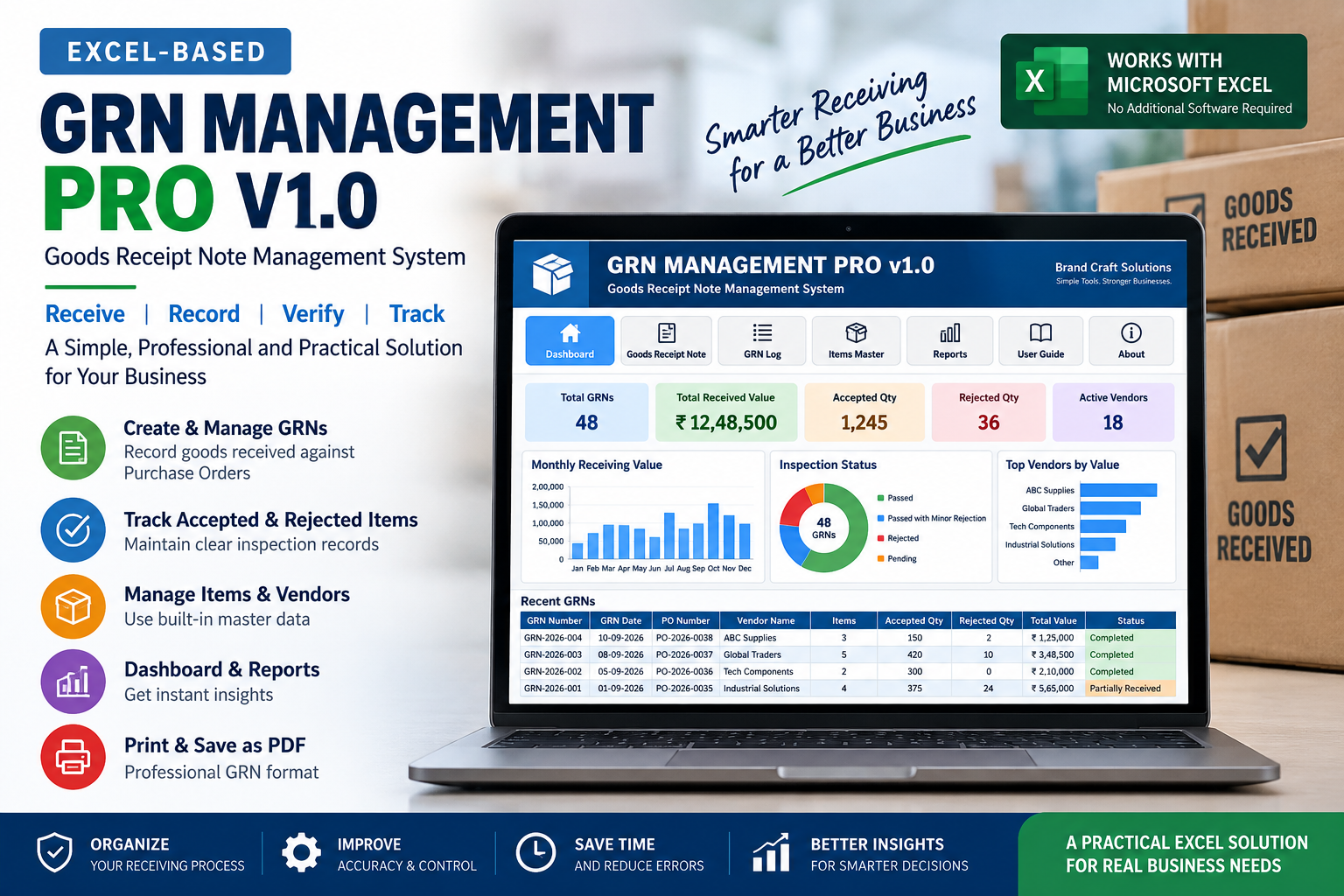
Receiving goods is one of the most important control points in a purchasing process. A supplier may deliver exactly what was ordered, fewer items than expected, extra quantities, damaged products, or a mixture of accepted and rejected goods.
Without a proper receiving record, it can become difficult to determine what was ordered, what actually arrived, what was accepted, and what should eventually be added to inventory. This is where a Goods Received Note (GRN) becomes useful.
A GRN creates a formal record of goods received from a supplier and provides an important link between the purchase order, physical receiving process, inventory records and supplier invoice.
What Is a Goods Received Note (GRN)?
A Goods Received Note, commonly called a GRN, is a business document used to record goods received from a supplier.
The GRN is normally prepared when goods arrive and are checked against the relevant purchase order. It records important receiving information such as the supplier, purchase order, items received, quantities, inspection results and accepted or rejected quantities.
In simple terms, the purchase order records what the business ordered, while the GRN records what the business actually received.
Simple example
A business orders 100 units of an item from a supplier. The supplier delivers 100 units, but 5 units are damaged. The GRN can record 100 units received, 95 accepted and 5 rejected.
Why Is a GRN Important for Small Businesses?
Small businesses often manage purchasing, receiving, inventory and supplier records with limited staff. When receiving information is scattered across paper notes, spreadsheets and messages, mistakes can become difficult to identify.
Receiving control
Create a formal record of what arrived from the supplier.
Quantity verification
Compare ordered quantities with received quantities.
Inspection records
Record accepted, rejected or damaged quantities.
Inventory accuracy
Provide a controlled receiving record before inventory is updated.
Supplier accountability
Maintain evidence of what was delivered against the order.
Better reporting
Make receiving information easier to review and analyse.
GRN vs Purchase Order
A purchase order and a GRN are connected, but they serve different purposes.
For a structured purchasing process, the PO and GRN should work together rather than being treated as unrelated documents.
GRN vs Invoice
A GRN should also be distinguished from a supplier invoice. The two documents provide different types of information.
GRN
Primarily records the physical receipt and inspection of goods.
Supplier Invoice
Primarily records the amount the supplier is requesting for the supplied goods or services.
In a controlled procurement process, businesses may compare the purchase order, GRN and supplier invoice to identify quantity or billing differences before payment.
How the Goods Receiving Process Works
A practical goods receiving process can be organized into a sequence of clear steps.
Purchase Requirement
The business identifies the items and quantities it needs.
Purchase Order
A purchase order is prepared and sent to the supplier.
Supplier Delivery
The supplier delivers the goods along with the relevant delivery documentation.
Goods Inspection
The receiving team checks quantities, condition and other relevant details.
GRN Creation
The goods received are recorded in a Goods Received Note.
Accept / Reject
Accepted and rejected quantities are recorded based on inspection.
Inventory Update
Accepted goods can then be reflected in the appropriate inventory records.
Invoice Matching
Receiving information can be compared with purchasing and supplier billing records.
What Information Should a GRN Contain?
The exact format can vary by business, but a useful GRN generally contains enough information to identify the delivery, supplier, purchase order and receiving result.
GRN and Inventory Management
Receiving is closely connected to inventory management. If inventory is updated simply because a supplier delivered something, the stock records may become inaccurate when goods are damaged, missing or rejected.
A structured GRN provides an intermediate control point. It helps the business distinguish between goods that arrived and goods that were actually accepted.
A useful operational relationship is:
Purchase Order → GRN → Accepted Quantity → Inventory
GRN Quantity Reconciliation
Quantity reconciliation is one of the most useful controls in a goods receiving process.
Instead of recording only a single received quantity, a structured GRN can distinguish between the quantity ordered, quantity physically received, quantity accepted and quantity rejected.
Ordered
What the purchase order requested.
Received
What physically arrived.
Accepted
What passed the receiving or inspection process.
Rejected
What was damaged, incorrect or otherwise not accepted.
In a receiving record, accepted and rejected quantities should reconcile with the physical quantity received. This creates a clearer audit trail for receiving decisions.
GRN Management Using Excel
Excel can be a practical option for small businesses that are not ready for a large enterprise resource planning system. However, a basic spreadsheet and a structured Excel-based management system are not the same thing.
A simple spreadsheet may contain columns for supplier, item, quantity and date. A structured GRN system can go further by connecting receiving records with purchase orders, item masters, vendor information, accepted and rejected quantities, registers, dashboards and reports.
Basic GRN spreadsheet
- • Manual data entry
- • Basic receiving records
- • Limited validation
- • Manual reporting
Structured GRN management system
- • GRN numbering and workflow
- • Purchase order reference
- • Accepted and rejected quantities
- • Vendor and item master data
- • Registers, dashboards and reports
Common Goods Receiving Problems
Businesses can face several recurring problems when goods receiving is handled informally.
Quantity differences
The delivered quantity does not match the purchase order.
Damaged goods
Some items arrive damaged and are mixed with accepted goods.
Missing receiving records
There is no clear record of when or what was received.
Supplier disputes
The business has difficulty proving what was actually delivered.
Inventory discrepancies
Stock is updated without clearly confirming accepted quantities.
Invoice matching issues
Supplier invoices are difficult to reconcile with actual receipts.
What Is a GRN Management System?
A GRN management system is a structured solution used to create, store, track and report goods receiving records.
Instead of treating every receiving document as an isolated file, the system brings the relevant receiving information into a consistent workflow.
How to Choose a GRN Management System
A useful GRN management system should fit the actual receiving process of the business rather than simply providing a digital form.
Structured workflow
The system should support the movement from purchase order to receiving and recording.
Quantity controls
It should distinguish ordered, received, accepted and rejected quantities.
Master data
Vendor and item information should be organized for repeat use.
Tracking
GRNs should be searchable and trackable through a register or similar record.
Reporting
Management should be able to review receiving activity and trends.
Practical implementation
The system should be appropriate for the size, workflow and technical capability of the business.
Frequently Asked Questions About GRN
What does GRN mean?
GRN means Goods Received Note. It is a business record used to document goods received from a supplier.
What is a Goods Received Note?
A Goods Received Note is a document that records the receipt and inspection of goods delivered against a purchase order or other purchasing reference.
Why is a GRN important?
A GRN helps businesses verify deliveries, record accepted and rejected quantities, maintain receiving records and improve the connection between purchasing and inventory.
What is the difference between a PO and a GRN?
A purchase order records what a business intends to purchase, while a GRN records what was actually received from the supplier.
What is the difference between a GRN and an invoice?
A GRN primarily records physical receipt and inspection of goods. An invoice primarily records the supplier's billing request.
Who prepares a GRN?
The GRN is normally prepared or recorded by the receiving, stores, warehouse or procurement function responsible for checking incoming goods.
What information should a GRN contain?
Common information includes GRN number, date, supplier, purchase order, items, quantities received, accepted and rejected quantities, inspection details and receiving status.
Can GRN be managed in Excel?
Yes. Excel can be used to manage GRNs, particularly for small and growing businesses. A structured workbook can provide forms, registers, validation, dashboards and reports.
How does GRN affect inventory?
The GRN provides a receiving control point. Accepted quantities can then be used as the basis for updating the relevant inventory records.
Related Business Management Guides
Goods receiving is closely connected to purchasing and inventory. Explore the related guides to understand the complete operational workflow.
Purchase & Procurement
Purchase Order Management for Small Businesses
Learn how structured purchase order management helps businesses organize suppliers, orders, procurement records and purchasing visibility.
Read the GuideInventory Management
Inventory Management for Small Businesses
Understand how structured inventory management can improve stock visibility, movement tracking, reporting and operational control.
Read the Guide